



In the era of digitalization, Information Technology (IT) infrastructure is likened to the “backbone” of every enterprise. As a business grows, the demands for performance, security, and scalability increase, leading to a situation where legacy systems can no longer meet requirements. This is exactly when the concept of Server Migration becomes more important than ever. Server migration is not merely a technical operation; it is a strategy that helps businesses optimize costs and enhance their competitive edge.
What is Server Migration?
Server Migration is the process of transferring data, configurations, the operating system, and applications from one server (source) to another (destination). This process can be performed between physical servers located in a data center, or from a physical server to a cloud computing environment.

The core objective of Server Migration is to ensure the entire system operates stably in the new environment without data loss or prolonged service disruption. Depending on the current infrastructure and future needs, businesses can choose different migration methods to achieve the highest efficiency.
Why is Server Migration Necessary?
Maintaining an outdated server system often comes with numerous security risks and high maintenance costs. Below are the most common reasons why organizations must undergo server migration:
- Obsolescent Hardware: Old servers typically have low performance, consume significant power, and are prone to physical hardware failures.
- Expired Warranty/Support: When manufacturers stop supporting components or software updates, the system becomes fragile and vulnerable to cyberattacks.
- Business Scaling: When traffic spikes, the current server lacks sufficient resources (CPU, RAM, Storage) to handle the load.
- Cost Optimization: Moving from physical servers to the Cloud helps businesses transition from a Capital Expenditure (CapEx) model to an Operational Expenditure (OpEx) model.
Benefits of Server Migration
Executing a Server Migration correctly brings exceptional value to a business, not only technically but also from a business perspective:
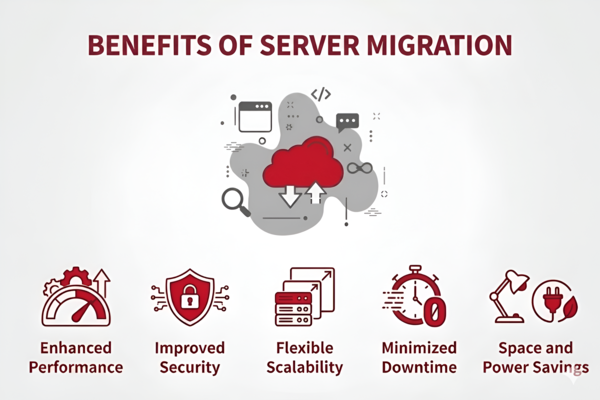
- Enhanced Performance: New servers equipped with modern technology process data faster and reduce latency for end-users.
- Improved Security: The migration process is often accompanied by the application of security patches and the reconfiguration of firewalls, providing better data protection.
- Flexible Scalability: Especially when moving to the Cloud, you can scale resources up or down with just a few clicks.
- Minimized Downtime: Modern migration technologies allow systems to remain operational even while data is being transferred.
- Space and Power Savings: Reducing the number of physical servers at the office helps save on real estate costs and cooling system expenses.
The Server Migration Process
A successful Server Migration process requires meticulous preparation and strict adherence to specific steps to avoid the risk of data loss:
- Step 1: Assessment and Planning: Inventory all existing data, applications, and configurations. Determine the migration window that will have the least impact on customers.
- Step 2: Destination Environment Selection: Choose the appropriate server type (Physical, VPS, or Cloud) based on budget and technical requirements.
- Step 3: Data Backup: This is the most critical step. A complete backup must be created to serve as a fail-safe in case the migration process encounters errors.
- Step 4: Execution: Proceed with transferring data and installing configurations on the new server.
- Step 5: Testing and Optimization: Test all features in the new environment, check database connections, and verify page load speeds.
- Step 6: Domain Pointing and Acceptance: Once everything is stable, redirect user traffic to the new server and decommission the old system.
Types of Server Migration
Depending on the system architecture and specific goals, Server Migration is divided into several different types. Understanding each type helps businesses choose the most time-efficient and cost-effective option.
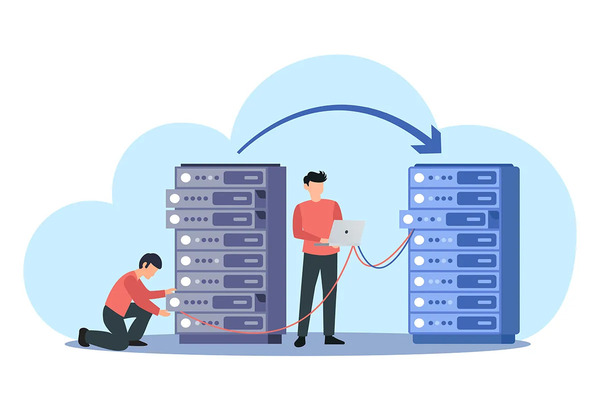
- Physical Migration: This involves moving from one physical server to another (P2P). This process usually requires reinstalling the operating system and configuring it from scratch on the new device before migrating the data. It ensures maximum performance as it does not pass through intermediary layers.
- Virtual Migration: This type includes moving from a physical server to a virtual machine (P2V) or between virtual machines (V2V). It helps businesses optimize hardware resources, allowing multiple operating systems to run independently on a single powerful physical device.
- Cloud Migration: Currently the strongest trend, this involves shifting data from on-premise systems to platforms such as AWS, Azure, or Google Cloud. The greatest benefits are unlimited scalability and extremely high availability.
- Hot Migration: The migration process takes place while the server is still running and processing user requests. Data is continuously synchronized between the source and the destination. Once completed, the system automatically switches to the new server without the user noticing any disruption (Zero Downtime).
- Cold Migration: In this method, the source server is completely shut down before the data is copied to the destination server. This ensures that data does not change during the transfer process but results in service downtime for a specific period.
Real-World Applications of Server Migration
In practice, Server Migration is widely applied in various scenarios. For instance, an e-commerce site may need to move to a more powerful server before a peak shopping season to prevent website crashes. Or, a bank might need to migrate data from individual branches to a centralized data center for easier management and security. Additionally, consolidating servers after a corporate merger is also a common migration scenario.
Server Migration Execution Time
The time required for a server migration case is not a fixed number; it depends on several factors:
- Data Volume: Moving a few GBs is much faster than moving tens of TBs.
- Network Bandwidth: The connection speed between the source and destination servers.
- Application Complexity: Applications with many customizations or dependencies on third parties will take more time to reconfigure.
Typically, the entire process from planning to completion can span from a few days to several weeks.
Key Considerations During Server Migration
To ensure a smooth transition, you need to pay special attention to the following factors:
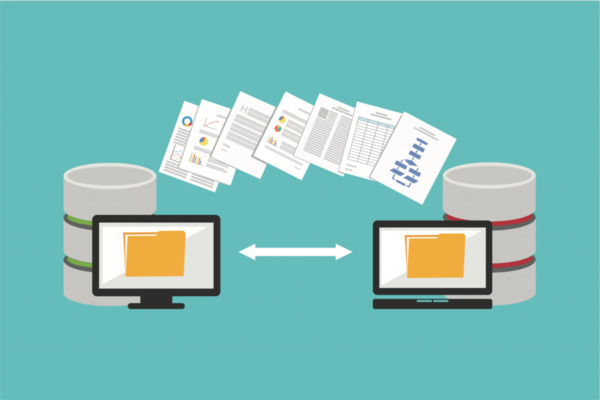
- Compatibility: Ensure that the operating system and software from the old server can run on the new hardware or virtualization environment.
- Latency: If migrating to a server in a different country, check the network latency to avoid negatively impacting the user experience.
- Transmission Security: Use encrypted protocols (such as SSH or VPN) when transferring data over the internet to prevent data theft.
- Implementation Personnel: It is essential to have an IT team with deep system knowledge or to hire professional services to handle technical issues as they arise.
Risks and Challenges of Server Migration
Despite the many benefits, Server Migration poses potential risks if not managed well:
- Data Loss: Caused by hardware failures, network errors, or human error during the copying process.
- Prolonged Downtime: Occurs when unforeseen issues cause the service to remain offline longer than expected.
- Configuration Errors: The application fails to run in the new environment due to mismatched software versions or libraries.
- Unexpected Costs: Hidden fees related to bandwidth, software licensing, or hiring experts to troubleshoot incidents.
Frequently Asked Questions (FAQs)
- Does Server Migration affect SEO? If performed correctly (maintaining the URL structure and achieving faster page load speeds), it is beneficial for SEO. However, if significant downtime occurs, website rankings may be temporarily affected.
- Should I do it myself or hire a migration service? If your business has a highly skilled IT team and a simple system, you can perform it yourself. For complex systems, hiring experts ensures higher safety and saves time.
- How do I check data integrity after migration? You should use checksum verification methods (such as MD5 or SHA) to compare files between the source and destination to ensure the data remains unchanged.
Server Migration is an inevitable step in an enterprise’s technological development roadmap. While there are many challenges, with a detailed plan and thorough preparation, you can safely transition your system, unlocking opportunities for breakthroughs in performance and scale in the future.
