



In the digital era, the value of data is only truly realized when it is circulated, shared, and processed at the right time. This collective process is known as Data Transfer. Whether you are sending an email, watching a video on YouTube, or managing a massive server system, every activity relies on the foundation of data transmission. This article will delve into the protocols, methods, and key considerations for optimizing this process.
What is Data Transfer?
Data Transfer is the process of transporting digital information from one location to another via transmission media. The endpoints of this process can be personal computers, servers, mobile devices, or cloud storage systems.
To ensure stability and integrity, data is typically broken down into packets during transmission. The speed of this process depends on bandwidth, latency, and the efficiency of the protocols used. In an enterprise environment, Data Transfer is more than just copying files; it encompasses data synchronization between branches, backups, and data migration to the Cloud to optimize operational costs.
Common Data Transfer Protocols
For transmission to occur smoothly, devices require a “common language” to understand each other-these are the protocols. Depending on the physical environment and distance, there are various groups of protocols and transmission media, ranging from wired to wireless.
Data Transmission via Network Cables
This is the most traditional and stable method of transmission, utilizing physical cables such as twisted-pair copper (Ethernet), Fiber Optics, or coaxial cables.
- Ethernet: Common in Local Area Networks (LAN), allowing data transfer speeds from 1Gbps to 10Gbps.
- Fiber Optics: Uses light to transmit signals, providing ultra-high speeds and the ability to cover long distances without signal degradation or electromagnetic interference. This is the backbone of the global Internet infrastructure.
- Advantages: High security, stable speeds, and minimal impact from external environmental factors.
Data Transmission via Radio Waves
The explosion of mobile devices has driven the growth of Wireless Data Transfer. This method offers maximum flexibility by eliminating the need for cumbersome wiring.
- Wi-Fi (IEEE 802.11): Uses radio waves to connect devices within a narrow range, such as offices or homes. New standards like Wi-Fi 6 and Wi-Fi 7 are gradually narrowing the speed gap with wired networks.
- Bluetooth: Typically used for short-range transfers (under 10m) between personal devices like phones, headphones, and wireless mice.
- Mobile Networks (4G/5G): Enables Data Transfer on a large scale, helping people stay connected even while on the move.
Data Transmission via the Internet
This is the most prevalent form today, utilizing the TCP/IP protocol suite to route data globally.
- HTTP/HTTPS: The foundational protocols of the World Wide Web, used to transfer data between browsers and servers.
- FTP (File Transfer Protocol): A specialized protocol for sending and receiving large files between computers. Currently, SFTP (Secure FTP) is preferred due to its security encryption features.
- API (Application Programming Interface): Modern applications use APIs (REST, SOAP) to exchange JSON or XML data automatically and continuously.
Data Transfer Methods
Based on the level of human intervention and usage scenarios, Data Transfer can be classified into two primary methods: manual and automatic. The choice between these methods depends on data volume and the frequency of execution.
Manual Data Transfer
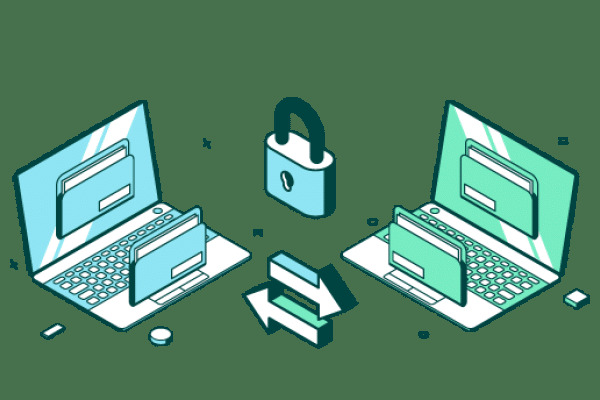
Manual data transfer is a process that requires direct user action at each point of transmission.
- Examples: Copying data to a USB drive or portable hard drive, or manually dragging and dropping files onto services like Google Drive or Dropbox.
- Characteristics: Suitable for small, infrequent files or when careful inspection of each file is required before sending. However, this method is prone to errors (such as forgetting to send or sending the wrong version) and is time-consuming for large data volumes.
Automated Data Transfer
In large-scale systems, automation is the key factor in ensuring data is always updated and available.
- Mechanism: Utilizes scripts, synchronization software, or background processes (cron jobs) to push or pull data according to a pre-defined schedule.
- Applications: Nightly data backups from servers to storage centers, data synchronization between nodes in a distributed system, or real-time data streaming in stock market or social media applications.
- Advantages: Minimizes human error, saves resources, and ensures business continuity.
What is a Server with Unlimited Data Transfer?
When renting Hosting, VPS, or a Dedicated Server, you will often see a “Data Transfer” specification (also referred to as monthly bandwidth). A server with Unlimited Data Transfer is a type of service where the provider does not cap the total volume of data you can send and receive within a month.
Typically, providers impose limits at 1TB, 5TB, or 10TB. If these limits are exceeded, your website may be suspended or you might incur very expensive overage fees. With an unlimited server, you can freely run resource-intensive applications such as:
- Movie and video streaming websites.
- News sites with extremely high traffic volumes.
- Software download or file storage services.
Note: It is important to realize that “unlimited” here usually comes with a limit on the network port speed (e.g., a 100Mbps or 1Gbps port). While you can transfer as much data as you like, the maximum speed at any given moment is still restricted by the physical bandwidth.
How to Choose a Server Based on Data Transfer
Selecting the right server configuration not only saves costs but also ensures a smooth user experience. Aim for a balance-never over-provision excessively or under-provision to the point of shortage.
- Estimate Traffic Flow: You need to know the average monthly visits and the average page size of your website. A simple formula is: Total Data Transfer = Number of Visits × Average Page Size × Pages per Visit.
- Calculate Growth Potential: Don’t just look at current figures. Choose a server with a Data Transfer capacity 20-30% higher than your actual needs to provide a buffer for peak periods or future growth.
- Server Geographic Location: To ensure the fastest Data Transfer, select a server located in the country or region where most of your target customers reside. For example, if your customers are in Vietnam, you should choose servers located in domestic datacenters to reduce latency.
- Network Port Speed: If you run applications requiring high speeds, prioritize servers that support network ports of 1Gbps or higher instead of 100Mbps.
Important Considerations for Data Transfer
Data transfer is not just about moving a file from A to B; it’s about ensuring safety, security, and efficiency. Here are the “golden” rules for anyone managing data:
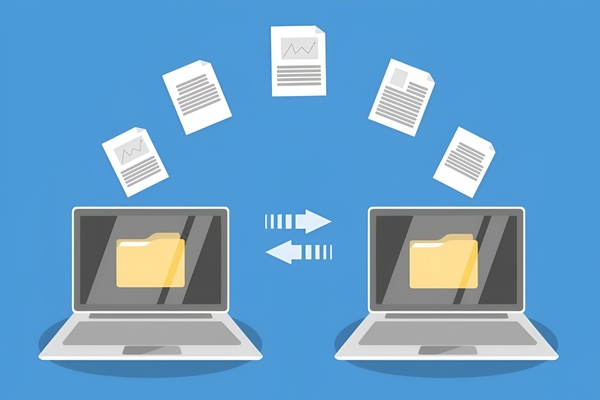
- Security as a Top Priority: Always use encrypted protocols such as HTTPS, SFTP, or a VPN when transferring sensitive data over public networks. This helps prevent man-in-the-middle (MITM) attacks.
- Integrity Checks: Once the Data Transfer is complete, use checksum methods (MD5, SHA256) to ensure the received data perfectly matches the original and was not corrupted during transmission.
- Data Compression: For large files, compressing them (zip, rar, gzip) before transmission reduces size, thereby saving bandwidth and shortening transfer times.
- Bandwidth Management: Avoid performing massive Data Transfer tasks during peak hours to prevent impacting the overall system performance. Take advantage of nighttime hours for data synchronization.
Frequently Asked Questions about Data Transfer
- Are Data Transfer and Bandwidth different? In practice, they are related but not identical. Bandwidth is the maximum transmission speed per second (like the width of a road), while Data Transfer is the total volume of data moved over a specific period (like the total number of cars that passed through that road in a month).
- Why is actual data transfer speed lower than advertised? Many factors are at play: geographic distance, hardware quality, network congestion, and protocol overhead. Additionally, providers often advertise speeds in Megabits (Mbps), while download managers display speeds in Megabytes (MB/s). Since 1Byte=8Bits, you need to divide by 8 to get the realistic figure.
- How can I speed up Data Transfer between two servers? You can use protocols that support multi-threading, optimize TCP parameters within the operating system, or utilize specialized acceleration solutions like a CDN (Content Delivery Network).
We hope this article has provided you with deep and detailed insights into Data Transfer. Understanding these protocols and operational methods will help you build and manage information systems that are efficient, secure, and cost-optimized.
