



In today’s digital era, data is often likened to the new “oil” of the business world. However, to extract maximum value from this resource, organizations must frequently upgrade systems, change storage platforms, or migrate to the cloud. This process is known as Data Migration. So, what exactly is Data Migration, and why does it play a vital role in digital transformation strategies? Let’s explore the details in the article below.
What is Data Migration?
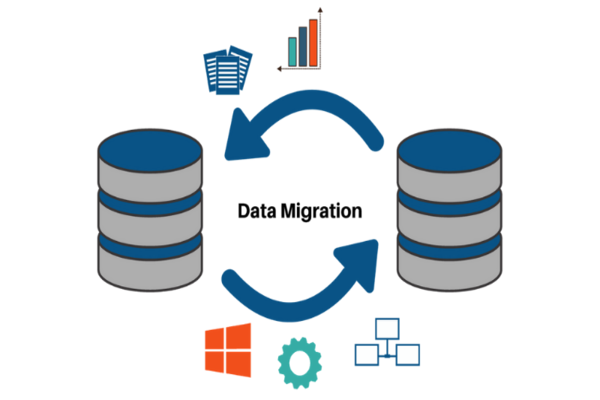
Data Migration is the process of selecting, preparing, extracting, and transforming data from one computer storage system to another. The ultimate goal is to ensure that the data at the new location (the target) is completely accurate, complete, and as usable as-or better than-it was at the previous location (the source).
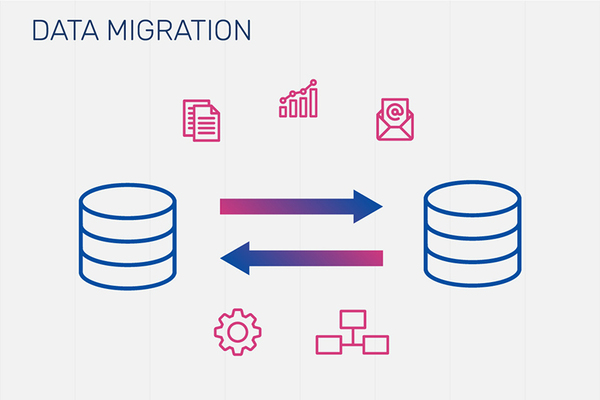
While it may sound as simple as “copy and paste,” Data Migration is actually a complex IT project. It involves more than just moving files; it encompasses changing formats, cleaning data, and ensuring the integrity of data relationships within the new system. A successful migration project requires close coordination between infrastructure teams, data experts, and business stakeholders.
Why is Data Migration Important?
On the roadmap to digital transformation, Data Migration is not an option—it is a mandatory requirement. When businesses want to modernize their processes, they need more powerful platforms. Keeping data trapped in outdated Legacy Systems is not only costly to maintain but also stifles the ability to analyze and make decisions based on real-time data.
The importance of Data Migration is reflected in several key aspects:
- Performance Optimization: Migrating data to modern platforms increases retrieval and processing speeds.
- Cost Savings: Instead of maintaining bulky physical servers, businesses move to the Cloud to optimize operational costs.
- Enhanced Security: New systems typically feature advanced security layers, helping protect a company’s digital assets from cyberattacks.
- Data Consolidation: Following Mergers and Acquisitions (M&A), Data Migration helps bring data from multiple sources into a centralized repository (Single Source of Truth).
Types of Data Migration
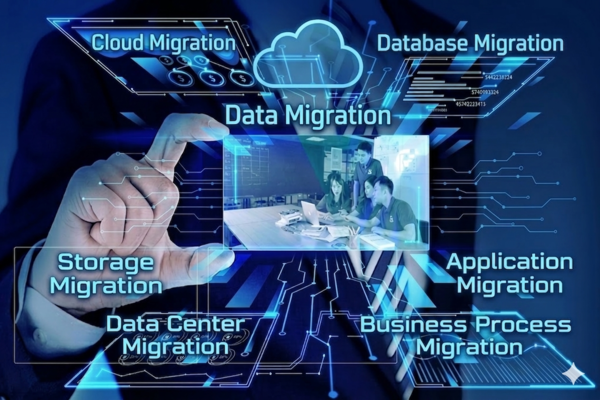
Depending on business objectives and infrastructure architecture, Data Migration is categorized into various types. Each type requires specialized techniques and tools to ensure the smoothest possible transition. Below are the six most common types of data migration today:
- Cloud Migration: This has been an exploding trend in recent years. Businesses move data, applications, or entire data centers from on-premise servers to cloud platforms such as AWS, Google Cloud, or Microsoft Azure. This transition enhances scalability and flexibility.
- Storage Migration: This process focuses on moving data from legacy storage devices to modern ones (for example, from HDD to SSD, or from physical storage arrays to virtualized storage). The primary goal is to improve read/write speeds and storage capacity.
- Data Center Migration: This is the largest scale project, involving the relocation of an entire IT infrastructure from one physical location to another, or shifting everything from a private data center to an outsourced service provider.
- Application Migration: When a business changes its management software (for example, switching from an old ERP to SAP S/4HANA), they must migrate data from the old application to the new one. This process is exceptionally complex due to differences in data models and structures between software platforms.
- Business Process Migration: This type occurs when a business changes its operational methods or restructures its business processes. Data related to customers, products, and transactions must be migrated to align with the new workflow.
- Database Migration: This involves moving data from one Database Management System (DBMS) to another (for example, from MySQL to PostgreSQL) or upgrading to a newer version of the same database type.
How to Implement a Data Migration Project
A successful Data Migration project cannot be executed haphazardly. It requires a standardized process to prevent data loss or business disruption. Here are the 5 fundamental steps for implementation:
- Step 1: Prepare Technical and Business Documentation: Before starting, you must clearly define: Which data needs to be moved? What data can be discarded? What are the format requirements of the target system? Creating detailed documentation ensures all stakeholders understand the project’s scope and objectives.
- Step 2: List Potential Risks: Don’t wait for an incident to occur before looking for a solution. Proactively list worst-case scenarios, such as data corruption during transfer, system compatibility errors, or sudden power outages. Preparing a Contingency Plan in advance will help you maintain control over the situation.
- Step 3: Data Cleansing and Preparation: “Garbage in, garbage out.” If you migrate “dirty” data to a new system, you will face significant trouble. In this step, specialists remove duplicate data, correct typos, and standardize data formats according to the requirements of the target system.
- Step 4: Test the Migration Process: Never migrate all your data at once. Perform a trial run on a small dataset (pilot) to check for speed, accuracy, and compatibility. If errors arise, adjust the migration script immediately.
- Step 5: Evaluate the Results: Once the migration is complete, perform a reconciliation to ensure the number of records at the source and target match perfectly. Simultaneously, end-users must verify whether they can perform their normal operations on the new system.
Risks When Performing Data Migration
Despite its many benefits, Data Migration carries several inherent risks if not managed properly:
- Data Loss: This is the most serious risk. Data can be dropped during network transmission or due to software glitches.
- Downtime: If the migration process takes longer than expected, the business may have to halt operations, leading to revenue loss.
- Security Issues: Data is often at its most vulnerable during transit. Without transmission encryption, sensitive information could be leaked.
- Data Incompatibility: When the new system cannot interpret the old data format, it leads to application errors or incorrect functionality.
Data Migration Timeline
There is no fixed timeline for every Data Migration project. The duration depends on several factors:
- Data Volume: A few GBs will be significantly faster to migrate than several PBs (Petabytes).
- Complexity: Migrating between the same type of database is faster than converting between different platforms.
- Network Bandwidth: Transmission speed plays a decisive role if you are migrating to the Cloud.
- Data Quality: The more errors the data contains, the longer the cleansing process will take.
Typically, a small project may take a few weeks, while large-scale projects for multinational corporations can span from six months to several years.
Comparing Data Migration, Data Conversion, and Data Integration
Many people confuse these three concepts. Here are the fundamental differences:
| Concept | Primary Focus | Timeline Characteristic | Illustrative Example |
|---|---|---|---|
| Data Migration | Moving data from one system to another. | An event with a distinct start and end point. | Shifting all data from physical servers to the Cloud. |
| Data Conversion | Changing the format or structure of the data. | Usually a specific step within the Data Migration process. | Converting data from an Excel file (.csv) into a SQL table. |
| Data Integration | Connecting and unifying data from multiple sources. | An ongoing, continuous, and long-term process. | Consolidating data from Facebook Ads and Google Ads into a single report. |
Frequently Asked Questions about Data Migration
- Does Data Migration cause data loss? If a proper process is followed-including Backup and testing phases—the risk of data loss is minimized. However, there is always a small probability of technical incidents.
- Should we choose Big Bang Migration or Trickle Migration?
- Big Bang: Moves everything in a single window (fast but high risk; requires downtime).
- Trickle: Moves data in phases (takes longer but is safer; causes no business disruption). The choice depends on the organization’s downtime tolerance.
- Which tools are best for supporting Data Migration? There are many tools ranging from free to paid, such as AWS DataSync, Azure Migrate, Talend, or Informatica. The selection depends on your budget and existing system architecture.
- Why is data cleansing the most important step? Because new systems often have stricter constraints. If you import erroneous data, the system may reject it or cause serious discrepancies in future financial or business reports.
Data Migration is a complex journey, yet it is an essential bridge for businesses to achieve successful digital transformation. By clearly understanding the process and risks, enterprises can execute data migrations safely and efficiently, creating a solid foundation for future growth.
