


In an increasingly competitive market, owning a suitable CRM system is a vital factor in helping businesses maintain sustainable customer relationships. No organization wants to be tethered to an outdated platform that lacks features or fails to meet growth demands. This is why CRM Migration-the process of transferring data and systems to a new CRM platform-is gaining significant attention.
The following article will help you understand what CRM Migration is, why you should implement it, and how to ensure the transition is as efficient as possible.
What is CRM Migration?
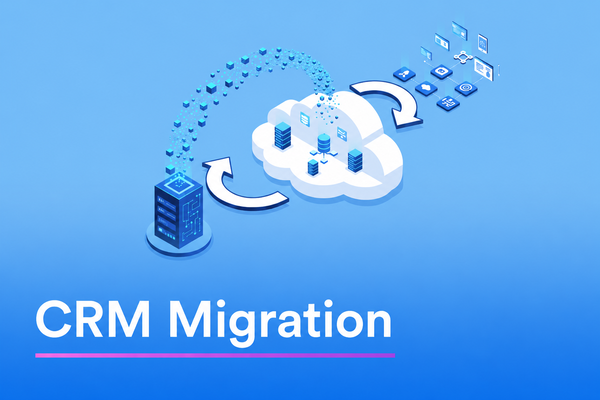
CRM Migration is the process of transferring all data, configurations, and processes from a current CRM system to a new one. This is one of the most complex technology projects that operations and IT departments face because it directly involves a business’s most important “digital asset”-customer data.
What Does CRM Migration Include?
A secure CRM Migration project typically involves transferring data types such as:
- Contact information and transaction history.
- Customer interactions and sales pipelines.
- Reports and dashboard customizations.
- Automation workflows: Re-establishing integrations with third-party tools like email marketing or accounting software within the new system.
Distinguishing CRM Migration from CRM Implementation
It is important to distinguish between the two. While CRM Implementation involves setting up a CRM for the first time, Migration is the process of “switching over” from an old system to a new one with the strict requirement of data preservation. This distinction significantly impacts planning, execution timelines, and project risk levels.
Why Should You Perform a CRM Migration?
Not every business is ready for a CRM Migration, as it is a project that demands considerable resources. However, in many cases, continuing to “coexist” with a flawed or legacy CRM system can cause greater long-term damage to business operations.
1. Legacy Systems No Longer Meet Requirements
As a business scales, increases its customer base, and requires deeper data analysis, legacy CRM systems often reveal limitations: outdated interfaces, a lack of automation, and difficulty integrating with modern tools. These are clear signs that it is time to move to a new platform.
2. Escalating Operational Costs
Many businesses still use On-premise CRM systems, which involve high costs for server maintenance, software updates, and IT support. Moving to a Cloud-based CRM via migration not only optimizes costs but also increases operational flexibility and scalability.
3. Enhancing Customer Experience
New generation CRM platforms leverage AI, real-time data analysis, and high-level personalization. Migrating to a modern system empowers sales and customer service teams to provide better support, thereby improving customer retention rates and overall satisfaction.
Challenges and Risks of CRM Migration
While CRM Migration offers clear benefits, not every project succeeds from the outset. Being aware of common risks helps businesses stay proactive in preparation and implementation.
- Data Loss and Corruption: The greatest risk is data being lost or distorted during transmission between two systems with different structures. Without standardized filtering, businesses may end up moving “data junk” (duplicate info, wrong numbers, fake emails) to their new home.
- Employee Resistance to Change: People tend to be hesitant to change long-standing work habits. Without proper training and mindset preparation, the sales team may refuse to use the new CRM, leading to a wasted technology investment.
- Disruption of Daily Operations: Migrating large data structures can paralyze management systems for hours or even days. Without a proper transition schedule, customer service staff will lack the information needed to handle client complaints.
- Budget and Timeline Overruns: Unplanned deep customizations often drive project costs up. Lacking a clear roadmap with specific milestones can cause the project to drag on indefinitely, causing fatigue across the organization.
Steps and Methods for a Successful CRM Migration
To overcome these challenges, businesses need to apply a standardized and highly scientific transition process. A successful strategy requires close coordination between IT, management, and end-users. The following 5-step framework is the core structure to help you control the project safely and effectively.
Step 1: Audit and Cleanse Existing Data
Before starting the transition, perform an audit of the data in the old system. Remove duplicates, update erroneous information, and standardize data formats. This step is time-consuming but critical-carrying “junk” data into the new system will only cause issues later.
Step 2: Data Mapping
Data mapping defines how data fields in the old system will correspond to the new system. For example, the “Customer Name” field in the old CRM might match “Contact Name” in the new one. A detailed data map helps avoid confusion and information loss during the transfer.
Step 3: Perform Test Migration
Never transfer the entire database at once. Select a small data set to perform a test migration. This allows you to check results and detect errors before full-scale implementation, saving significant time and troubleshooting costs later.
Step 4: Execute Official Migration and Verification
Choose a time with the lowest transaction volume (such as weekends or overnight) to perform the full migration. Lock editing permissions on the old CRM to ensure no new data is generated that could desynchronize the results during migration.
Step 5: User Training and Post-Migration Support
CRM Migration does not end once the data is moved. Training staff on the new system, gathering feedback, and having a technical support team available during the initial rollout are the key factors that ensure the project’s ultimate success.
How to Choose the Right CRM for Your Business
One of the most critical decisions before starting a CRM Migration is selecting the correct destination platform. Choosing the wrong CRM not only wastes migration resources but may also force the business to repeat the entire process just a few years later.
- Identify Needs and Use Cases: What are your specific goals for CRM? Do you need marketing automation? How many users will there be? Is integration with an existing ERP or accounting software required? Answering these questions will significantly narrow down the list of suitable candidates.
- Evaluate Scalability: A good CRM should not only meet current needs but also be capable of scaling alongside business growth. Prioritize platforms with open APIs, support for popular tools, and a clear development roadmap from the provider.
- Compare Total Cost of Ownership (TCO): Don’t just look at the monthly subscription fee. The total cost of a CRM package includes: deployment fees, training costs, customization expenses, technical support, and the cost of scaling over time. Evaluating these factors fully will help the business make sound financial decisions and avoid unforeseen expenses.
Frequently Asked Questions about CRM Migration
CRM Migration is still a relatively new topic for many businesses. Below are the most common questions managers ask when considering this project.
How long does CRM Migration take?
The duration depends on the data volume, system complexity, and development resources. A small-scale migration project can be completed in a few weeks, while large enterprises with millions of customer records may require 3 to 6 months or more.
Can we perform the migration ourselves?
Technically, it is entirely possible-especially if the data volume is small and the internal IT team is experienced. However, for large-scale or complex projects, hiring a consultant or an experienced development partner will minimize risks and ensure significantly higher output quality.
Is data loss a concern during transition?
If planned and executed correctly, the risk of data loss is near zero. It is crucial to back up all data before starting the migration, perform thorough Test Migrations, and have a “rollback” plan (returning to the old system) in case of a critical failure.
CRM Migration is a journey that demands meticulous preparation, but the reward-a modern, efficient system aligned with long-term business strategy-is well worth the effort. By understanding the process, identifying risks, and choosing the right platform, your business can successfully navigate the CRM Migration process and achieve a powerful breakthrough in the digital era.
