



In the era of digital transformation, data is often likened to the “oil” of every business. However, storing and managing this resource on traditional physical servers is increasingly revealing limitations in terms of cost and scalability. This is why Cloud Databases have emerged as a leading solution, helping businesses operate more flexibly, securely, and efficiently in the global internet environment.
What is a Cloud Database?
Essentially, a cloud database is a database service built, deployed, and accessed through cloud computing platforms rather than being installed locally on on-premises hardware. Instead of investing in massive server systems, businesses can rent storage space and computing power from cloud service providers (such as AWS, Google Cloud, or Microsoft Azure).
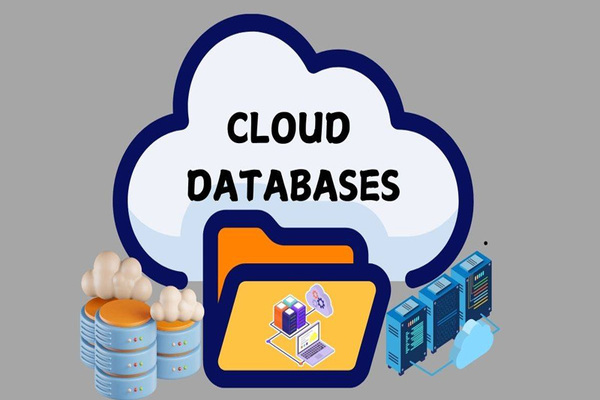
Unlike the traditional model, you don’t need to worry about hardware maintenance, RAM upgrades, or hard drive replacements. All data management tasks are performed remotely via a web interface or API. This not only simplifies operational processes but also allows users to access data from anywhere, provided they have a stable internet connection.
How Does a Cloud Database Work?
The operational mechanism of a cloud database is based on virtualization. Instead of running directly on a single physical device, data is distributed and managed by an intelligent software layer that connects multiple servers within a data center. When a user sends a query, the system automatically orchestrates resources to process it as quickly as possible.
There are two main deployment methods:
- Virtual Machine (VM): The business rents a virtual machine in the cloud and installs the database software themselves. This approach offers high control but requires system administration skills.
- Database as a Service (DBaaS): The service provider handles everything from installation and configuration to security and backups. Users simply use the service and pay based on actual consumption.
Features of Cloud Databases
One of the primary reasons cloud databases outperform traditional storage is their modern feature set, specifically designed to optimize performance. These features not only alleviate the burden on IT teams but also ensure business continuity.
- Automation: Tasks such as data backups, security patching, and query optimization are performed automatically by the service provider.
- Scalability: You can scale storage capacity or bandwidth up or down with just a few clicks without service interruptions.
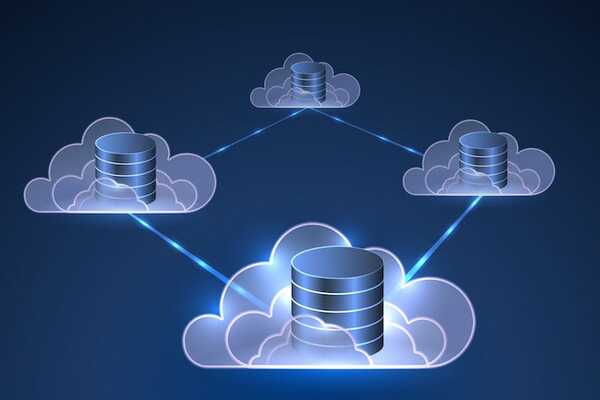
- High Availability: Data is typically replicated across different geographical regions or zones. If one data center encounters an issue, the system automatically switches to another.
- Multi-layered Security: Includes built-in data encryption protocols, firewalls, and strictly managed Identity and Access Management (IAM).
Benefits of Cloud Databases
Transitioning to a cloud database brings significant strategic turning points for a business. Beyond being a technological shift, it is a solution for economics and market competitiveness.
- Cost Efficiency: Businesses completely eliminate initial investment costs for hardware, server rooms, and cooling systems. The “Pay-as-you-go” model helps convert Capital Expenditure (CapEx) into flexible Operational Expenditure (OpEx).
- Speed and Agility: Instead of taking weeks to procure and install servers, you only need a few minutes to initialize a new database. This is particularly crucial for startups needing to test products rapidly.
- Global Collaboration: Cloud databases enable remote teams to access consistent, real-time data, pushing teamwork productivity to its maximum potential.
Types of Cloud Databases
Depending on the data structure and intended use, cloud databases are divided into various types. Understanding each type will help you choose the right solution for your business needs, ranging from storing customer information to analyzing Big Data.
Relational Cloud Databases
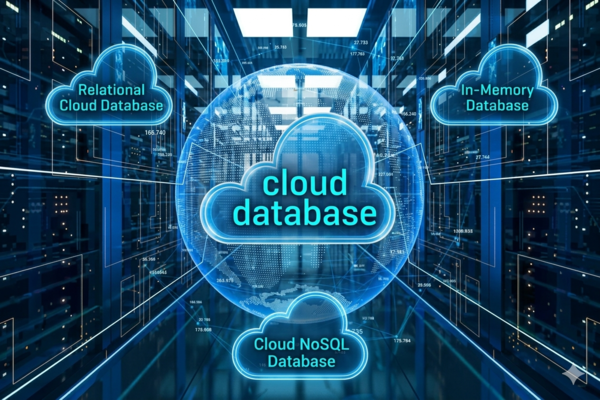
This is the most common type, based on the traditional SQL model. Data is organized into tables with rows and columns that are strictly related to one another. Services such as MySQL, PostgreSQL, or Oracle on the cloud are highly suitable for applications requiring high data integrity, such as financial transactions, HR management, or ERP systems. The greatest advantage is absolute Consistency.
In-Memory Databases
Unlike storage on hard drives (SSD/HDD), this type stores all data directly in the RAM (internal memory). This allows for data retrieval speeds that are almost instantaneous (measured in microseconds). In-memory cloud databases are typically used for applications needing lightning-fast responses, such as online gaming leaderboards, real-time analytics systems, or caching.
Cloud NoSQL Databases
Designed for data without a fixed structure or with a flexibly changing structure—such as social media posts, videos, or JSON documents. NoSQL boasts excellent horizontal scalability, allowing it to handle millions of queries per second on an enormous scale. This is the top choice for Big Data and Internet of Things (IoT) applications, where the volume of incoming data is massive and continuous.
Considerations When Using Cloud Databases
While offering numerous benefits, deploying cloud databases also presents certain challenges for businesses. Thorough preparation will help you avoid unnecessary security and operational risks.
- Security and Privacy Issues: No matter how robust a provider’s security is, the responsibility for managing access rights and end-to-end data encryption still lies with the business. You must ensure that compliance standards (such as GDPR or ISO) are strictly enforced.
- Vendor Lock-in: Once a vast amount of data is stored on one platform, migrating to another can be difficult and costly. Consider a Multi-cloud strategy if necessary.
- Internet Connectivity: System performance depends entirely on the network connection. If the internet goes down, data access will be stalled.
Criteria for Choosing the Right Cloud Database
To select an optimal cloud database service, you should not look at price alone but evaluate the overall offering based on the actual needs of your project. A wrong choice can lead to wasted resources or a failure to meet user growth.
- Performance: Check metrics regarding latency, Transactions Per Second (TPS), and the ability to handle complex queries.
- Scalability: Can the system automatically scale (Auto-scaling) when traffic spikes? Does scaling cause any downtime?
- Support and Community: A provider with detailed documentation and a large support community will help you resolve issues faster.
- Actual Costs: Carefully calculate hidden costs such as data egress fees, backup fees, and technical support fees to get the most comprehensive view of your budget.
Cloud databases are no longer a distant trend; they have become the core foundation for any business looking to break through in the digital age. Understanding the concepts, features, and how to choose the right type will help you build a solid, flexible IT system that is ready for any future challenges.
