


In today’s digital era, data is often likened to the “oil” of businesses and individuals. However, managing this massive volume of data using traditional methods-such as physical hard drives or on-premise servers-is revealing significant limitations in terms of cost and flexibility. This is why Cloud Storage emerged as a leading “lifeline” solution. This article will delve into what Cloud Storage is, how it works, and why it has become an inevitable trend in the 4.0 era.
What is Cloud Storage?
Cloud Storage is a cloud computing model that allows for the storage of data and files on the Internet through a cloud service provider. Instead of saving files on a computer’s hard drive or a local storage device, you save them to a remote storage system. The service provider manages, operates, and maintains the servers and network systems to ensure your data is always available when needed.
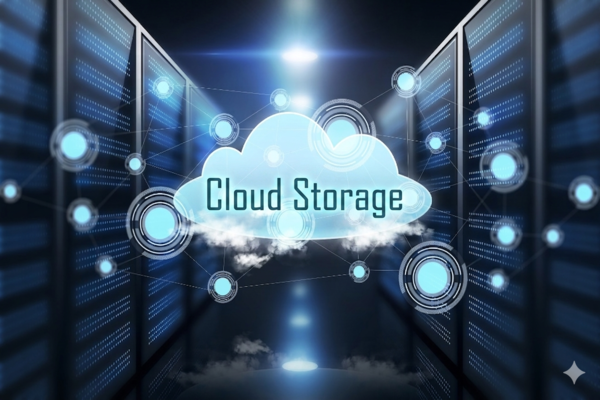
Essentially, when you use Cloud Storage, you are “renting” storage space on powerful servers located in Data Centers. You can access this data from anywhere, on any device (phone, laptop, tablet), as long as you have an Internet connection. Popular services we see daily, such as Google Drive, iCloud, Dropbox, or OneDrive, are the most typical examples of Cloud Storage.
Why is Cloud Storage Important?
The shift from physical storage to the cloud is no coincidence. In a world where remote work and collaboration have become the norm, Cloud Storage serves as the “backbone” for all information exchange. It solves the problem of limited physical storage space and eliminates the risk of data loss due to hardware failure.
More importantly, Cloud Storage offers unlimited scalability. For businesses, having to purchase more hard drives or build additional server rooms every time data increases is a financial and personnel burden. With the cloud, they only need a few clicks to upgrade their capacity. This allows businesses to focus their resources on core activities rather than struggling with complex IT infrastructure.
How Does Cloud Storage Work?
The operational mechanism of Cloud Storage is based on virtualization technology. When you upload a file to the cloud, it is sent over the Internet to a storage server. To ensure safety and availability, providers typically do not store the file on a single server; instead, they replicate it across multiple servers in different geographical locations (Redundancy).
- Front-end: This is the user interface where you interact to upload or manage files.
- Back-end: This control system handles distributing data to available disks, encrypting data for security, and verifying file integrity.
When you need to retrieve data, the system identifies the file’s location and sends it back to your device. This entire process happens in seconds, creating a seamless experience as if the data were stored right on your own machine.
Benefits of Cloud Storage
Adopting Cloud Storage brings revolutionary changes to both individual users and organizations. Beyond simple storage, it optimizes workflows and protects digital assets. Here are the key benefits:
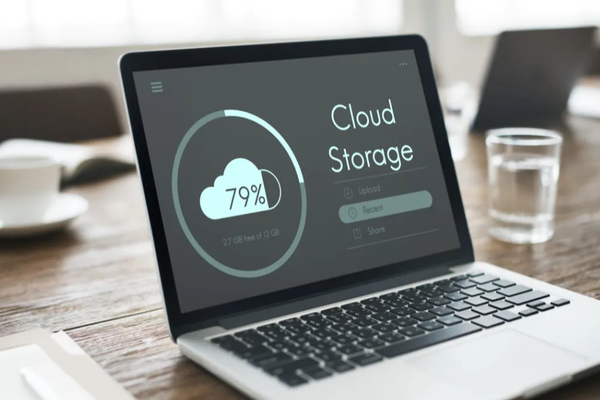
- Cost Savings: Eliminates initial hardware investment, maintenance costs, and electricity expenses for operating servers. You only pay for the actual capacity you use (Pay-as-you-go).
- Access Anytime, Anywhere: As long as you have an Internet connection, you can work at the office, at home, or while on the go.
- High Flexibility: Easily scale your storage capacity up or down based on actual needs without causing service interruptions.
- Security and Safety: Major providers invest billions of dollars in firewall systems, multi-layer encryption, and international security certifications—standards that are difficult for an individual or small business to implement on their own.
Key Features of Cloud Storage
To understand why Cloud Storage is so powerful, we need to examine the core features that make it superior to traditional storage methods. These features do more than just manage data; they protect users against unexpected incidents.
- Automated Backup: Instead of having to remember to plug in a USB or external hard drive for manual backups, Cloud Storage allows you to set up automated schedules. Every change to a file is immediately synced to the cloud, ensuring the latest version is always securely stored.
- Data Recovery: In the event that a computer is broken, stolen, or attacked by malware (Ransomware), Cloud Storage acts as a vital “lifesaver.” You can easily restore all your data onto a new device simply by logging into your account, minimizing work downtime.
- Software Testing and Development: For programmers, Cloud Storage provides an ideal environment to store builds, source code, and project resources. It allows for the creation of temporary storage environments to test software quickly without setting up complex physical infrastructure.
- Sharing and Data Migration: Sending large files via email is often restricted. Cloud Storage solves this by generating shareable links. You can assign permissions for others to either “view only” or “edit,” making team collaboration extremely efficient.
Types of Cloud Storage
Depending on the data type and intended use (access speed, capacity, cost), Cloud Storage is divided into three main categories. Choosing the right storage type helps optimize both performance and budget.
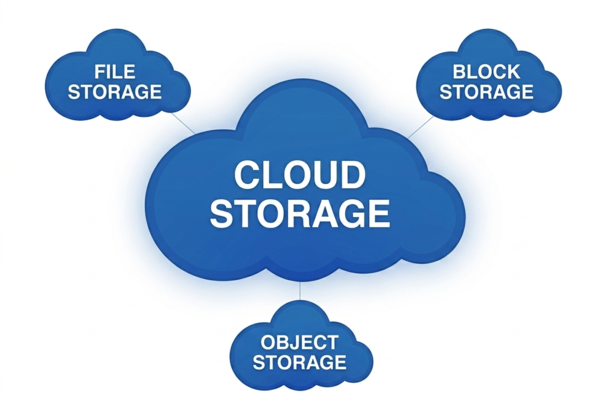
- File Storage: This is the most familiar type for general users, organizing data in a hierarchical structure of folders and files (similar to a Windows or Mac computer). It is suitable for storing office documents and personal photos where users need to interact directly with files.
- Block Storage: In this model, data is broken down into distinct “blocks,” each with a unique address. Block Storage is typically used in enterprise environments requiring ultra-fast access speeds and low latency, such as Databases or high-transaction applications.
- Object Storage: Data is stored as “objects” accompanied by detailed metadata and a unique identifier. This is the perfect solution for massive amounts of unstructured data—such as videos, photo archives, backup data, or data for AI/Big Data applications—due to its near-infinite scalability.
Pros and Cons of Cloud Storage
Every technology has two sides. Understanding the advantages and disadvantages will provide you with an objective perspective to apply Cloud Storage in the smartest way possible.
Pros:
- Scalability: Accommodates any data scale, from a few gigabytes to several petabytes.
- Real-time Collaboration: Multiple people can edit the same document simultaneously.
- Reduced Management Burden: The provider is responsible for software updates and infrastructure security.
Cons:
- Internet Dependency: Without a network connection, accessing data becomes difficult (unless there is an offline mode).
- Bandwidth: Uploading or downloading large volumes of data can be time-consuming and incur bandwidth costs.
- Control: You are placing your data in the hands of a third party, making the selection of a reputable provider extremely important.
Cloud Storage Service Models
Finally, to implement Cloud Storage, users and businesses need to choose a deployment model that fits their security policies and industry specifics.
- Public Cloud Storage: This is the most common model, where the cloud infrastructure is shared by multiple customers (though data remains completely segregated). Giants like Amazon Web Services (AWS), Google Cloud, and Microsoft Azure are leading providers. The advantages are low costs and no need for infrastructure management.
- Private Cloud Storage: Designed for organizations with extremely high security or legal compliance requirements (such as banking or healthcare). A private cloud is built on infrastructure dedicated to a single customer, which can be located at the organization’s own data center or at a provider’s site but remains completely isolated.
- Hybrid Cloud Storage: A hybrid model combining both Public and Private Clouds. Businesses can store sensitive data on a Private Cloud while using a Public Cloud for less critical data or to leverage the powerful computing capabilities of the public cloud when necessary. This is a trend currently chosen by many large enterprises to optimize both security and cost-efficiency.
Cloud Storage is not just a mere storage tool; it is a powerful platform that changes the way we live and work. Understanding its types and features will help you choose the most optimal solution for yourself or your business on the digital transformation journey.
